

ever
How to keep the messages of a loved one who has passed away
Losing someone is one of the hardest things in life. In the days that follow, many people hold on to the small things: a photo, a piece of clothing… and, more and more, their conversations. The messages of a loved one keep their way of talking, their jokes, their “did you get home safe?” and, in voice notes, their voice.
This guide explains how to keep the messages of a loved one safe so they are not lost to a broken phone or a failed backup, and how to turn them into something you can keep and open again.
Why a loved one’s messages matter so much
We used to keep letters in a box. Today those letters are chats: thousands of everyday messages that, without us noticing, tell the story of a whole relationship. For many people, rereading them or listening to a voice note is a way of staying close.
The problem is that all of it lives on a phone. A new phone, a failed backup or an accidental deletion can make what can never be written again disappear in a second.
5 ways to keep the messages of a loved one
Don’t delete the chat or rush to change phones
The first thing is not to touch the conversation. If you are going to change phones, only do it once you have a backup you have checked.
Turn on backups
In WhatsApp, go to Settings › Chats › Chat backup and include videos. If something goes wrong, here is how to recover a WhatsApp conversation.
Export the conversation
Inside the chat, tap “More › Export chat › Include media”. You will get a file with all the messages, photos and voice notes that you can save on your computer.
Save their voice notes separately
They are the most precious and the most fragile. Further down we explain how to save them one by one.
Put them on paper
A book of their messages does not depend on passwords, clouds or updates. It is the copy you can hold, give to the family and keep on a shelf.
If the family still has their phone, don’t reset or sell it in a hurry: it may hold photos, videos and voice notes that nobody else has. Talk together first about what you want to keep.
How to save their WhatsApp voice notes
Their voice is almost always what people miss most. These steps work on both Android and iPhone:
- Open the conversation and find the voice notes. To see them all together, tap their name at the top and go to “Media, links and docs”.
- Press and hold a voice note and mark it with a star to keep the most special ones close at hand.
- Tap “Share” or “Forward” and save it to your files, your email or a cloud folder.
- Give each file a name that helps you remember, such as the date or what they were talking about.
If you are unsure about exporting or saving files, the official WhatsApp Help Center explains it for each system.
Turning their messages into a keepsake book
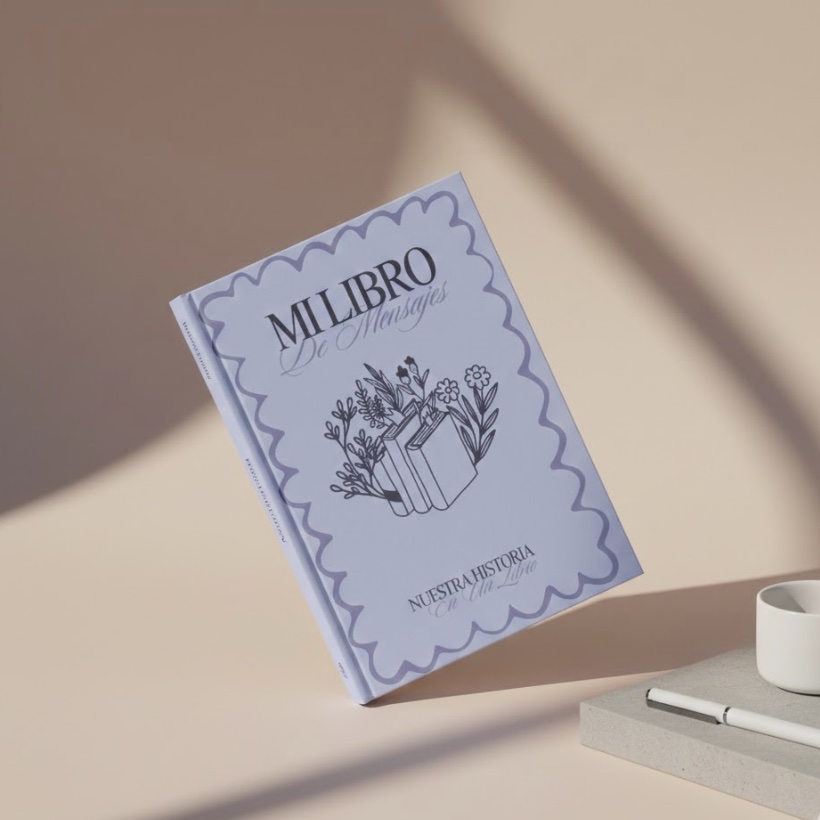
With Mi Libro de Mensajes you can turn your WhatsApp conversation into a printed book. The process is designed to be simple, even at difficult times:
- Export the conversation from your own phone, from WhatsApp or Instagram.
- Choose what to include. You can remove practical or private messages and keep what you truly want to preserve.
- Personalise the cover with a photo of the two of you and add a dedication.
- Receive it at home within a few days, with their voice notes turned into QR codes so you can hear their voice again.
Frequently asked questions
Can their voice notes be included in the book?
Yes. A QR code is printed next to each voice note; scan it with your phone to hear their voice again at any time.
Can I choose which messages appear?
Yes. Before printing you can remove any messages you would rather leave out and keep only the ones you want to preserve.
Do I need access to their phone?
No. The conversation just needs to be on your phone: when you export it, both your messages and theirs are included.
What happens to the conversation if their WhatsApp account becomes inactive?
The messages from a loved one that are already on your phone do not disappear because of that: the conversation stays on your phone. Even so, it is best to export it and make a copy as soon as possible.
Some words deserve to stay.