

chats
How to recover a WhatsApp conversation (and never lose it again)
You open WhatsApp, look for that special conversation… and it is gone. You switched phones, deleted it by accident or the app failed. If you need to recover a WhatsApp conversation, the first rule is to touch nothing else: every new backup can overwrite the one that would save you.
This guide explains how to recover a WhatsApp conversation on Android and iPhone, what can and cannot be recovered, and how to make sure it never happens again.
First things first: is it really deleted?
Often the conversation has not disappeared, it is just hidden. Before reinstalling anything, check these three things:
Archived chats
At the very top of your chat list you will see “Archived”. If you archived the conversation by mistake, it will be there, untouched.
Locked chats
WhatsApp lets you hide chats behind your fingerprint or a code. Pull down on your chat list to see the locked chats folder.
The search bar
Type the contact’s name or a word you remember from the conversation. Sometimes the chat is there, just far down the list.
Recover a WhatsApp conversation on Android
On Android your lifeline is the Google Drive backup. WhatsApp makes it automatically (daily, weekly or monthly, depending on your settings), usually overnight. First check the date in Settings › Chats › Chat backup: if it is older than the moment you lost the chat, you can recover it.
- Uninstall WhatsApp from your phone.
- Reinstall it from Google Play.
- Verify your phone number, using the same Google account the backup was saved to.
- When prompted, tap “Restore”. If the backup is encrypted, it will ask for your password or 64-digit key.
- Wait for the messages to download, then the photos and videos.
Is the Drive backup newer than the deletion? Try the local backup
Besides the cloud backup, many Android phones keep local backups from the last few days on the phone itself. They are your second chance:
- Open your file manager and go to Android › media › com.whatsapp › WhatsApp › Databases.
- You will see dated files such as msgstore-2026-03-12.1.db.crypt14. Pick one from a day before the deletion.
- Rename it to msgstore.db.crypt14, keeping whatever extension it has.
- Uninstall and reinstall WhatsApp and choose restore. If you also have a Drive backup, turn it off first so it uses the local one.
Recover a WhatsApp conversation on iPhone
On iPhone the process is similar, but the backup lives in iCloud. First check that it was turned on and when the last one was made.
- Go to WhatsApp Settings › Chats › Chat Backup and check the date of the last backup.
- If it is older than the deletion, you are in luck! Delete WhatsApp from your iPhone.
- Reinstall it from the App Store, signed in to iCloud with the same Apple ID.
- Verify your number and tap “Restore Chat History”.
If you are unsure about any step, the official WhatsApp Help Center explains the backup and restore options for each system.
If the automatic backup ran after you deleted the chat, that conversation is no longer in the cloud. On Android you still have the local backup from previous days; on iPhone, unfortunately, there is usually no going back.
Get it off your phone before it happens again
The backup saved you this time, but it still depends on a single phone and a single cloud. Now that you have the conversation back, take two minutes to save it elsewhere:
- Export the chat with the “Export chat” option and include media, so the photos and voice notes come too.
- Keep the file off your phone: on your computer, in your email or in a different cloud from your backup.
- If it is a conversation you never want to lose again, turn it into a printed book: it does not depend on passwords, phones or servers.
What cannot be recovered
Worth knowing so you do not waste time (or money):
- Messages the other person deleted for everyone. That notice means the message is no longer on any phone or in any backup.
- Chats with no backup at all. If you never turned on backups and the chat is no longer on the phone, there is no official way to recover it.
- “Miracle” apps that promise to recover everything. Most do not work, charge upfront and ask for full access to your phone. Your conversations are too private to hand to strangers.
How never to lose your chats again
The cloud feels safe, but it depends on passwords, syncing and nothing going wrong when you switch phones. These four habits will spare you the scare:
Daily backup
In Settings › Chats › Chat backup, set the frequency to “Daily” and include videos if you have space.
Keep your password safe
If you encrypt the backup, write the password or key down somewhere safe. Without it, not even WhatsApp can restore it.
Export important chats
From the chat, “More › Export chat” gives you a file with every message. There is a step-by-step guide for Android and for iPhone, and here is how to print a WhatsApp chat.
Get them off your phone
What really matters (your partner, your grandparents, your friends) deserves a copy that does not depend on a server.
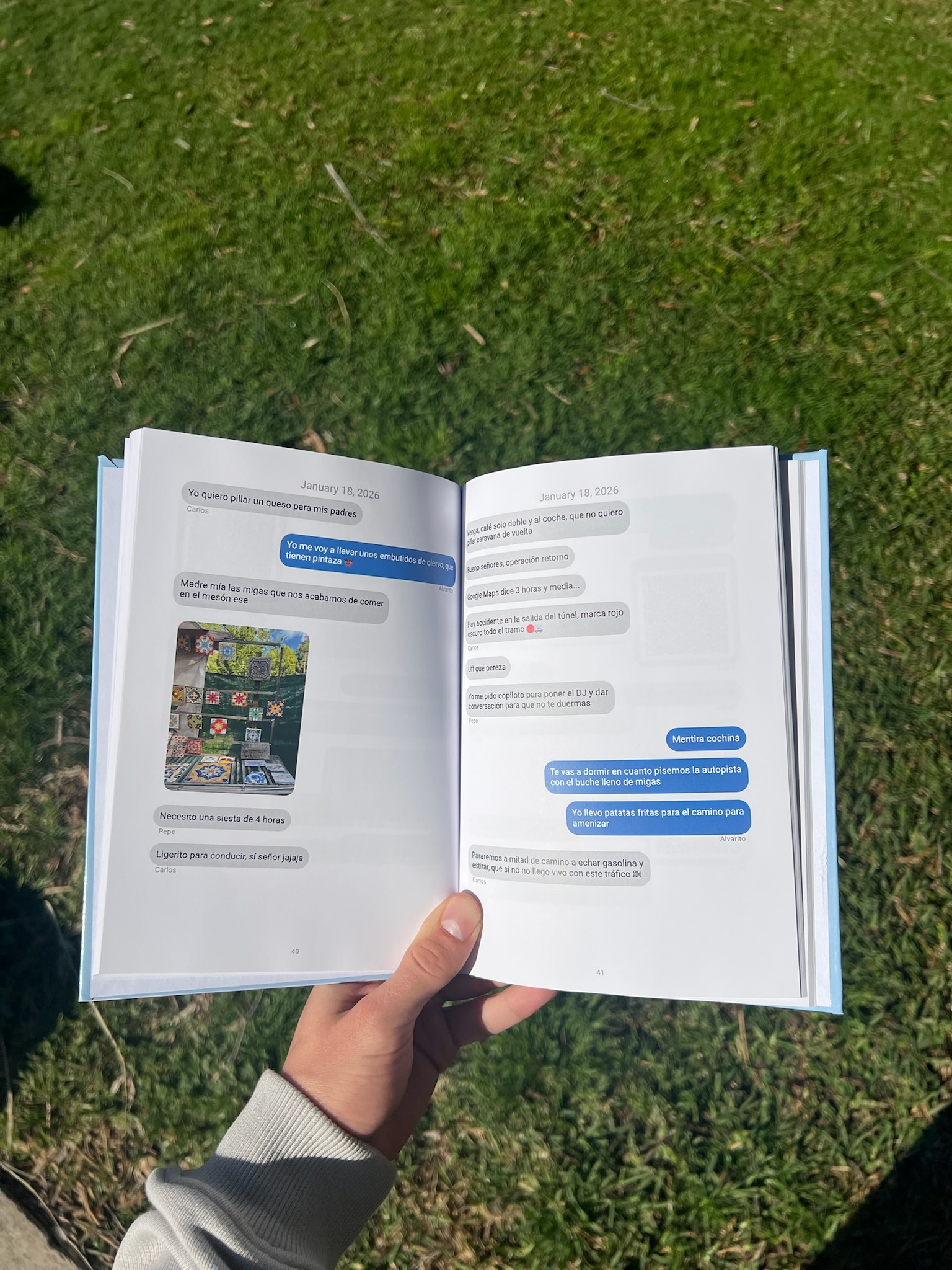
the only copy you can touch
Your conversation, in a printed book
At Mi Libro de Mensajes we turn your WhatsApp chats into a physical book. Emojis, stickers and photos stay, and voice notes and videos play when you scan a QR code.
Phones break, clouds fail and passwords are forgotten. A book on the shelf will still be there in twenty years.
Frequently asked questions
Can you recover a WhatsApp conversation without a backup?
Not through official means. On Android you can check the local backups from the last few days in the Databases folder. If there is no backup from before the deletion, the conversation cannot be recovered.
Can I see a message the other person deleted for everyone?
No. When “This message was deleted” appears, the content has been erased from every device and is not in any backup.
How long are local backups kept on Android?
WhatsApp usually keeps local backups from the last few days (around a week) on the phone and deletes older ones.
How do I keep a WhatsApp conversation forever?
Turn on daily backups, export your important chats and, for the ones that matter most, turn them into a printed book that does not depend on your phone or the cloud.
Some conversations can never be written again.